• Join the Puerto Pollensa Community Forums

    Provide or get advice on everything Puerto Pollensa, ask questions, gain confirmation or just become apart of a friendly, like minded community.


    Join our Community!

Posting Photos into the New Forum

  • Thread starter Thread starter pollensa
  • Start date Start date
Help please

I have managed before to copy/paste a link to a photo on Flikr, but I'm now having a problem trying to do this with another photo. I copy the link ok but when it gets to my post in PP forum - its not shown as a link, just a line of normal text.:confused:

Help please!

Thanks
 
Hi Rosie, are you pasting it into the 'insert link' button? the one that looks like a globe with a link on?
 
Hi Jigggy

I've tried copy/paste on the html and the url 'links'. Can't see see the globe with the link on?:confused:
 
Hi Rosie the globe with the link on is just above here in the reply box, can you see it its 8 along from the right?
 
LOL - now I've submitted my reply - it is showing as a link! It must only show as a link when you actually submit. I'll know next time.! Thanks Jigggy:)
 
4803671355_de1c2d1564_b.jpg


Does that work ?

It needed
at the end of the link.

Mark.
 
Hi Rosie, try pasting it into the 'insert image' button then. Its the one that looks like a mountain with the sun over it.
Great pic btw, where is it?
Good job Mark :)
 
Hi Mark

Thanks for all your help! I wondered how to get a pic actually showing on the forum site! Its a restaurant on Pine Walk (Ballada de Mar or similar) - theres a thread in the restaurant section - someone mentioned the restaurant and I guessed it could be this one.

Rosie
 
trying again !!

dg8E6Q
 
Last edited:
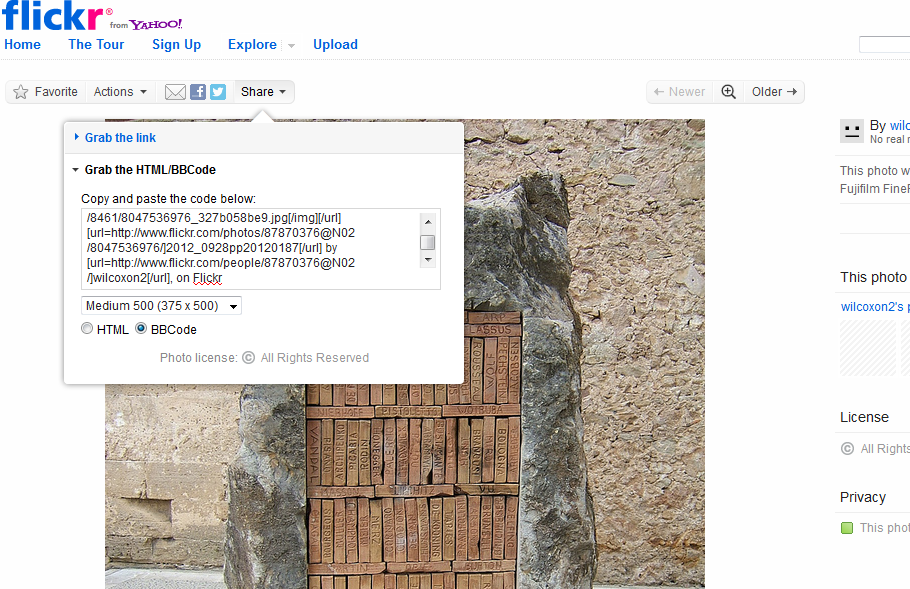
OK , I have uploded some pics to Flickr, chosen the small size, clicked on Share, where I get a selection of choices.
If I `grab the link` and insert into the message then the pic doesn`t appear in my post as others have managed to do.
If I `grab the HTML code , which is very long and paste it into the `insert image` it still doesn`t work.
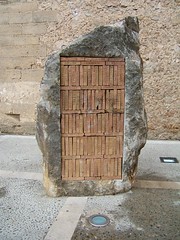
Can some one try to help me please, there are a couple of pics that are of things that I would like to know about.
Thanks
 
Hi Wilcox, its the BBCode you need to grab that and try pasting it in
 
Lol Mark, yes but yours is so much clearer :)
 
One question, when you do this method you end up with
 
test 2 :)

I start typing my post then just paste the BBcode in like this:


2012_0928pp20120187 by wilcoxon2, on Flickr

Dont use the 'Insert Image' function in the forum posting box as you dont need it with BBcode as that is what causes the extra IMG tag to appear around the image.
 
Back
Top